Learn More
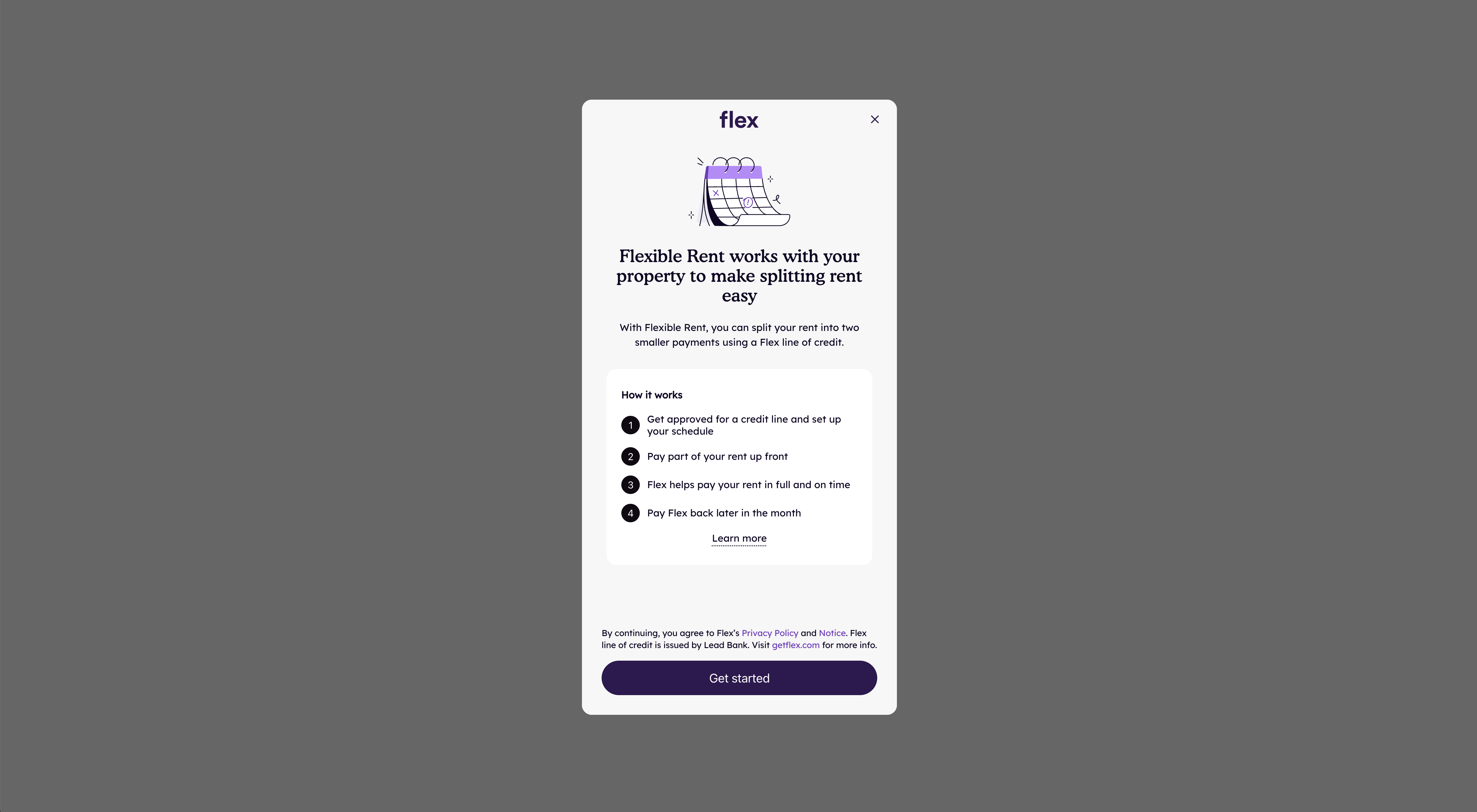
The Learn More button opens a modal that educates users about Flex payment options.
Initialization
Display the Learn More button, which launches the Learn More modal, by calling flex.learnMore(options) with configuration options.
flex.ready(() => {
  flex.learnMore({
    id: 'flex-learn-more-id',
    onClose() {},
    onOpen() {},
  })
})
Options
Options object for configuring the Learn More button and listening to events from the Learn More modal.
| Parameter | Type | Description |
|---|---|---|
id | String | The dom id of the element where the Learn More button should be inserted. Defaults to flex-learn-more-id. |
label | Boolean | Whether to show the "How it works" label text. The question mark icon will always show. |
onClose() | Function | Called when the Learn More modal is closed. |
onOpen() | Function | Called when the Learn More modal is opened. |
productType | String | 'rent' or 'payment'. Only needed when running both flows on one instance (see Multiple Products in the Installation guide). Defaults to the instance's flow. |
styles | Object | A limited set of attributes that can style the Learn More button. Currently this style is limited to "height". |
visible | Boolean | Determines whether the Learn More button is hidden or visible when it loads. |
When the Learn More button is displayed with flex.learnMore(options), clicking that button will automatically open the Embedded Checkout modal. Be sure to include a dom element that matches the Learn More button id.
<div id="flex-learn-more-id"></div>
<script>
  flex.ready(() => {
    flex.learnMore({ id: 'flex-learn-more-id' })
  })
</script>
Cleanup on Destroy
If the container element for a Learn More button is removed from the DOM — for example, when a user switches between tabs and the tab content is destroyed — you must call flex.learnMore.destroy() before the container is removed. Failing to do so will cause errors when the container is recreated and flex.learnMore is called again with the same id.
Always destroy a Learn More button before its container is removed from the DOM. If the container is destroyed and recreated without calling destroy(), the SDK will still hold a reference to the old (detached) element.
<div id="tab-a">
  <div id="flex-learn-more-id"></div>
</div>

<script>
  flex.ready(() => {
    flex.learnMore({ id: 'flex-learn-more-id' })
  })

  function switchTab() {
    // ✅ Destroy the learn more button before removing its container from the DOM
    flex.learnMore.destroy('flex-learn-more-id')

    document.getElementById('tab-a').remove()

    // Later, when tab-a is re-added to the DOM:
    flex.learnMore({ id: 'flex-learn-more-id' })
  }
</script>
In React, return the destroy call from your useEffect cleanup function so it runs automatically when the component unmounts.
useEffect(() => {
  flex.ready(() => {
    flex.learnMore({ id: 'flex-learn-more-id' })
  })

  return () => {
    flex.learnMore.destroy('flex-learn-more-id')
  }
}, [])
Methods
Exported methods for controlling and interacting with the Learn More button and modal.
Avoid chaining methods directly on flex.learnMore({ id }). This calls flex.learnMore as a constructor, which attempts to register a new component and requires the DOM element to be present.
// ❌ Anti-pattern — attempts to register a new component before calling the method
flex.learnMore({ id: 'flex-learn-more-id' }).destroy()

// ✅ Use the static method instead
flex.learnMore.destroy('flex-learn-more-id')

// ✅ Or store the instance reference when the component is created
const learnMore = flex.learnMore({ id: 'flex-learn-more-id' })
learnMore.destroy()
learnMore.show()
Show a Learn More component by passing the id of the Learn More component you want to show.
flex.learnMore.show('flex-learn-more-id')
learnMore.hide()
Hide a Learn More component by passing the id of the Learn More component you want to hide.
flex.learnMore.hide('flex-learn-more-id')
learnMore.destroy()
Destroy a Learn More component by passing the id of the Learn More component you want to destroy. This is useful if the parent container has been destroyed and recreated.
flex.learnMore.destroy('flex-learn-more-id')
learnMore.open()
Open the Learn More modal.
flex.learnMore.open()