Checkout
The Embedded Checkout allows users to onboard with autopay or make a one-time payment.
Initialization
Configure the Embedded Checkout by calling useFlexCheckout() with a configuration object.
import { useFlexCheckout } from '@flexapp/flex-checkout-react-native'

const { closeCheckout } = useFlexCheckout({
  interstitial: true,
  onClose: () => {},
  onError: (error) => {},
  onEvent: (event) => {},
  onOpen: () => {},
})
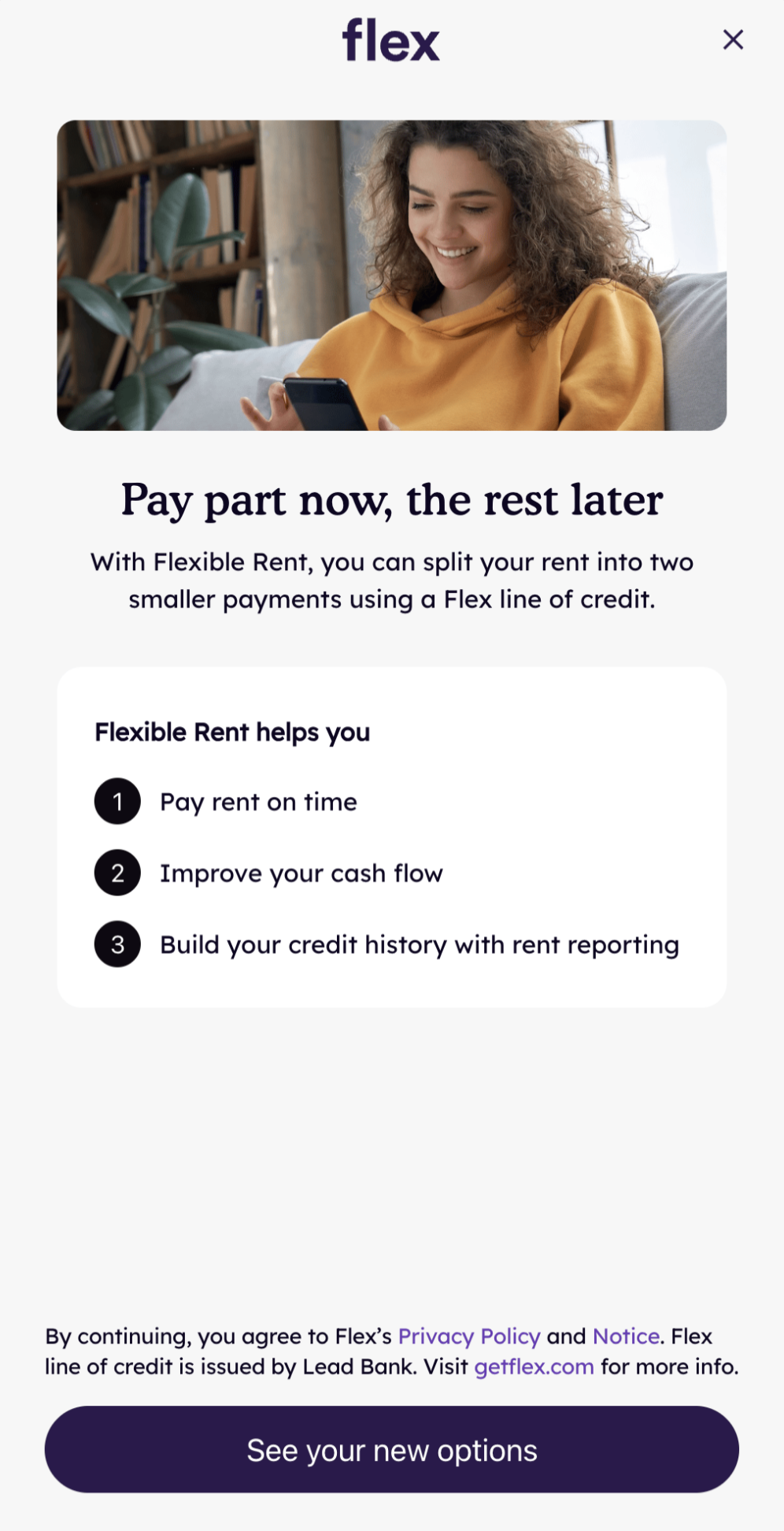
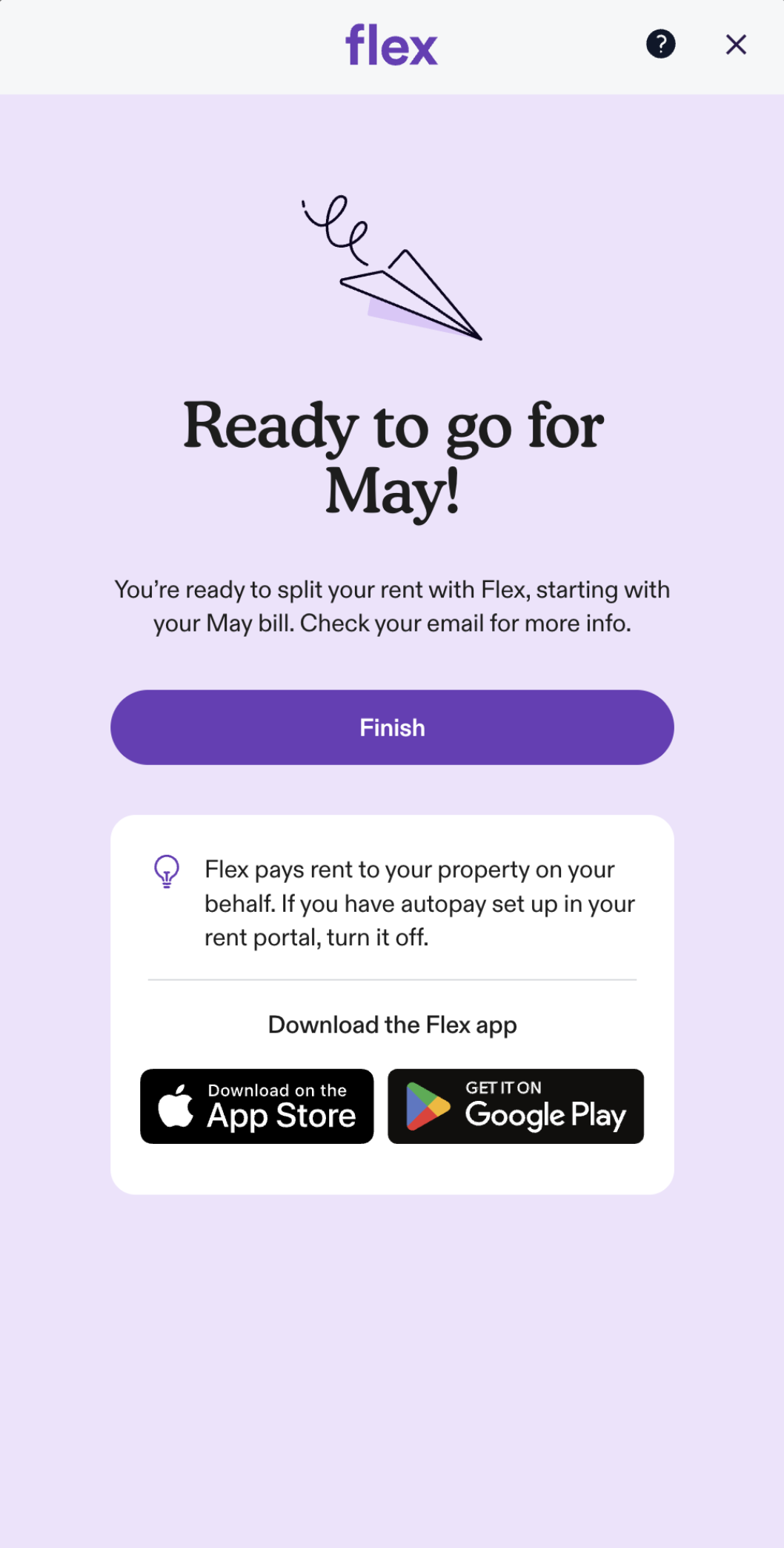
When opened, the Embedded Checkout guides the user through onboarding and payment.
The interstitial introduces the Flex offer before the user proceeds to the full flow, ending on a confirmation screen.
Options
Options for configuring and listening to events from the Embedded Checkout.
| Parameter | Type | Description |
|---|---|---|
interstitial | Boolean | Whether to show or hide the interstitial screen. Defaults to true. |
onClose | () => void | Called when the Embedded Checkout is closed. |
onError | (error: string) => void | Called when an error occurs. Returns a string with the error message. |
onEvent | (event: ModalEvent) => void | Events in the Flex app will trigger onEvent to be called. Returns a ModalEvent with a type field indicating which event has been triggered. |
onOpen | () => void | Called when the Embedded Checkout is opened. |
Event Types
The onEvent callback receives a ModalEvent object with a type field and a data field.
| Event Type | Description |
|---|---|
ModalEventType.ONBOARDING_COMPLETED | User has completed onboarding. Check event.data.autopayEnabled for autopay status. |
ModalEventType.PAYMENT_COMPLETED | User has completed payment. ONBOARDING_COMPLETED will have been sent first. |
ModalEventType.AUTOPAY_STATUS_UPDATED | User has updated their autopay status. Check event.data.autopayEnabled for new status. |
import { useFlexCheckout, ModalEventType } from '@flexapp/flex-checkout-react-native'

useFlexCheckout({
  onEvent: (event) => {
    if (event.type === ModalEventType.ONBOARDING_COMPLETED) {
      // User has completed onboarding.
      // event.data.autopayEnabled indicates if autopay was enabled.
    } else if (event.type === ModalEventType.PAYMENT_COMPLETED) {
      // User has completed payment.
    } else if (event.type === ModalEventType.AUTOPAY_STATUS_UPDATED) {
      // User has updated their autopay status.
      // event.data.autopayEnabled indicates the new status.
    }
  },
})
Error Handling
If the checkout fails to load — network unavailable, app.getflex.com unreachable, or the JS handshake doesn't complete within 15 seconds — the SDK displays a recoverable error screen inside the sheet so the partner does not need to dismiss it.
- First failure: "Something went wrong — Please try again" with a Try Again button that retries the load.
- Retry also fails: terminal "We're experiencing technical issues" screen (no retry button).
- A Help link in both states opens help.getflex.com in the user's browser.
- The user can dismiss the sheet at any time via the close
X.
Your onError callback is also invoked on every failure with a descriptive message:
useFlexCheckout({
  onError: (error) => {
    // error is a string like:
    //   "Checkout failed to load: The Internet connection appears to be offline."
    //   "Checkout failed to load: Checkout did not load in time"
    //   "Checkout failed to load: Failed to load token: ..."
    console.error(error)
  },
})
You don't need to take any UI action on onError — the SDK already shows the user-facing error UI. Use the callback for logging, analytics, or your own diagnostics.
Methods
closeCheckout()
Programmatically closes the Embedded Checkout. Available as a return value from useFlexCheckout or as a standalone import.
import { closeCheckout } from '@flexapp/flex-checkout-react-native'

closeCheckout()