Checkout
The Embedded Checkout allows users to onboard with autopay or make a one-time payment.
Initialization
Configure the Embedded Checkout by calling sdk.checkout(config) with a CheckoutConfig object.
Kotlin callers construct CheckoutConfig directly with named arguments and lambdas. Java callers use CheckoutConfig.Builder, which accepts SAM listener interfaces (OnCheckoutOpenListener, OnCheckoutCloseListener, OnCheckoutErrorListener, OnCheckoutEventListener) so lambdas don't need to return Unit.INSTANCE.
import com.flex.checkout.configuration.CheckoutConfig
import com.flex.checkout.events.ModalEventType

sdk.checkout(CheckoutConfig(
    interstitial = true,
    onClose = { },
    onError = { error -> },
    onEvent = { event -> },
    onOpen = { },
))
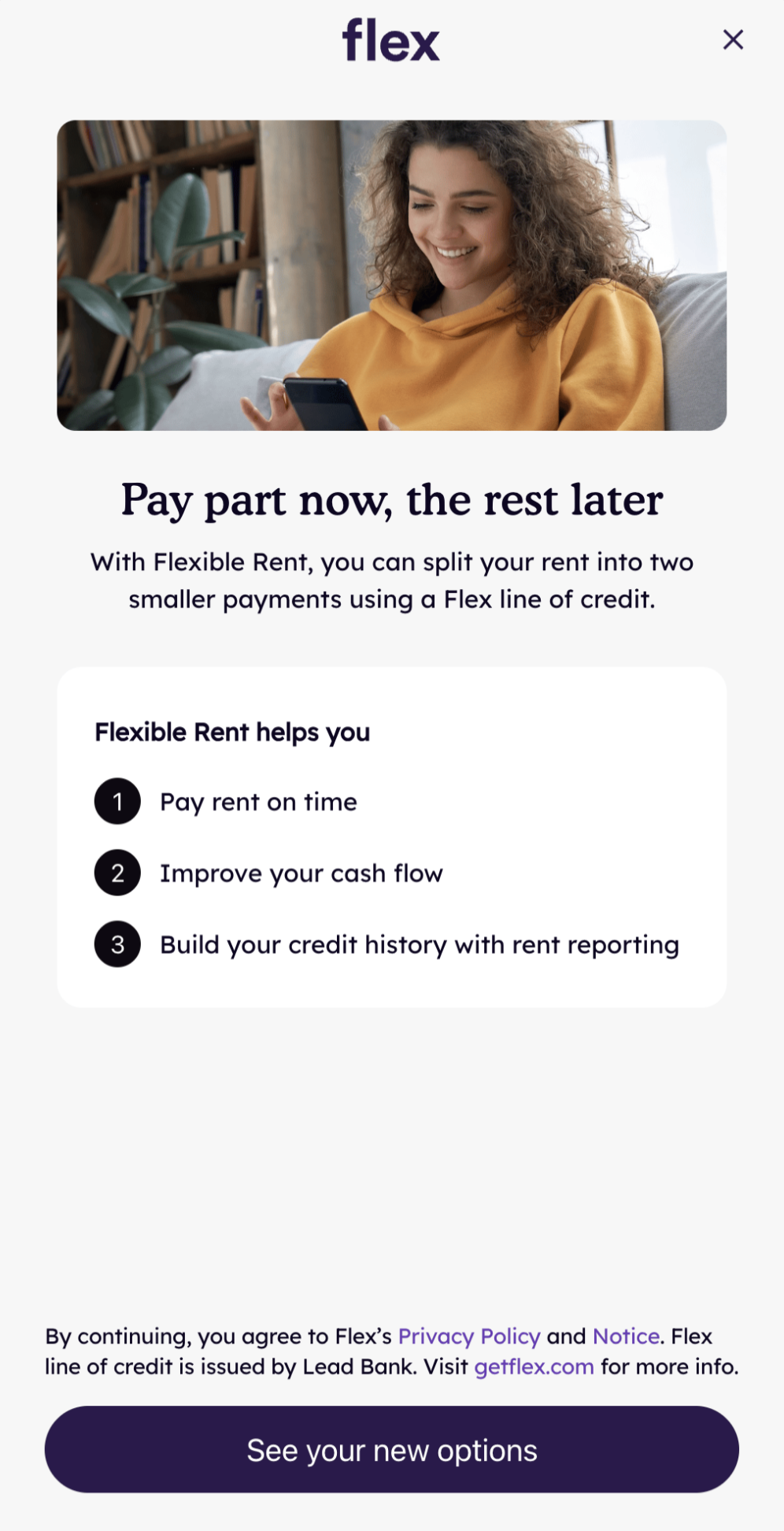
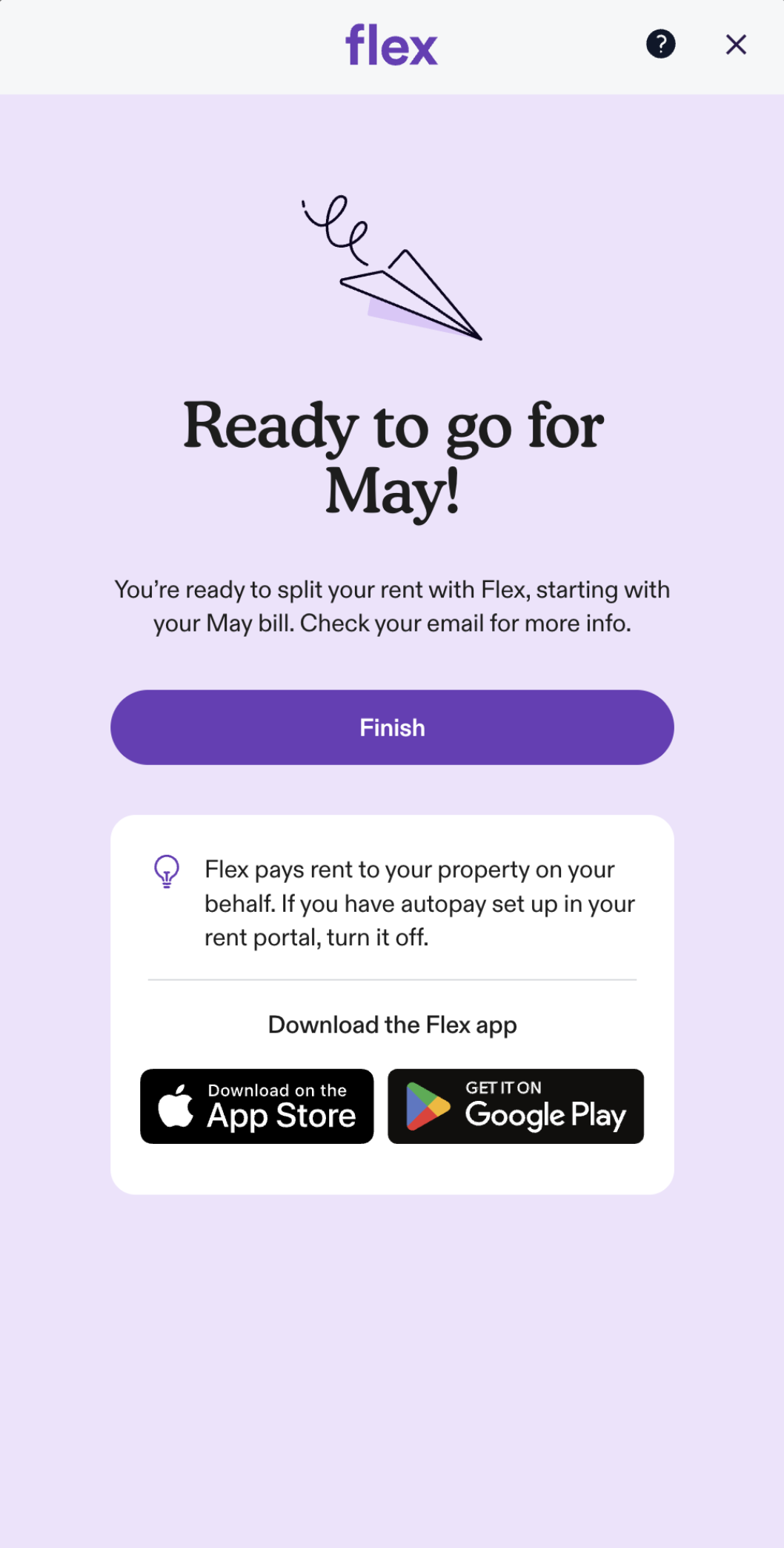
When opened, the Embedded Checkout guides the user through onboarding and payment.
The interstitial introduces the Flex offer before the user proceeds to the full flow, ending on a confirmation screen.
Options
Options for configuring and listening to events from the Embedded Checkout.
| Parameter | Kotlin Type | Java Type (via Builder) | Description |
|---|---|---|---|
interstitial | Boolean | boolean | Whether to show or hide the interstitial screen. Defaults to true. |
onClose | () -> Unit | OnCheckoutCloseListener | Called when the Embedded Checkout is closed. |
onError | (String) -> Unit | OnCheckoutErrorListener | Called when an error occurs. Returns a String with the error message. |
onEvent | (ModalEvent) -> Unit | OnCheckoutEventListener | Events in the Flex app will trigger onEvent to be called. Returns a ModalEvent with a type field indicating which event has been triggered. |
onOpen | () -> Unit | OnCheckoutOpenListener | Called when the Embedded Checkout is opened. |
Event Types
The onEvent callback receives a ModalEvent object with a type field and an optional data field.
| Event Type | Description |
|---|---|
ModalEventType.ONBOARDING_COMPLETED | User has completed onboarding. Check event.data.autopayEnabled for autopay status. |
ModalEventType.PAYMENT_COMPLETED | User has completed payment. ONBOARDING_COMPLETED will have been sent first. |
ModalEventType.AUTOPAY_STATUS_UPDATED | User has updated their autopay status. Check event.data.autopayEnabled for new status. |
sdk.checkout(CheckoutConfig(
    onEvent = { event ->
        when (event.type) {
            ModalEventType.ONBOARDING_COMPLETED -> {
                // User has completed onboarding.
                // event.data.autopayEnabled indicates if autopay was enabled.
            }
            ModalEventType.PAYMENT_COMPLETED -> {
                // User has completed payment.
            }
            ModalEventType.AUTOPAY_STATUS_UPDATED -> {
                // User has updated their autopay status.
                // event.data.autopayEnabled indicates the new status.
            }
        }
    },
))
Error Handling
If the checkout fails to load — network unavailable, app.getflex.com unreachable, or the JS handshake doesn't complete within 15 seconds — the SDK displays a recoverable error screen inside the sheet so the partner does not need to dismiss it.
- First failure: "Something went wrong — Please try again" with a Try Again button that retries the load.
- Retry also fails: terminal "We're experiencing technical issues" screen (no retry button).
- A Help link in both states opens help.getflex.com in the user's browser.
- The user can dismiss the sheet at any time via the close
X.
Your onError callback is also invoked on every failure with a descriptive message:
sdk.checkout(CheckoutConfig(
    onError = { error ->
        // error is a String like:
        //   "Checkout failed to load: The Internet connection appears to be offline."
        //   "Checkout failed to load: Checkout did not load in time"
        //   "Checkout failed to load: Failed to load token: ..."
        Log.e("Flex", error)
    }
))
You don't need to take any UI action on onError — the SDK already shows the user-facing error UI. Use the callback for logging, analytics, or your own diagnostics.
Methods
closeCheckout()
Programmatically closes the Embedded Checkout.
Flex.instance.closeCheckout()